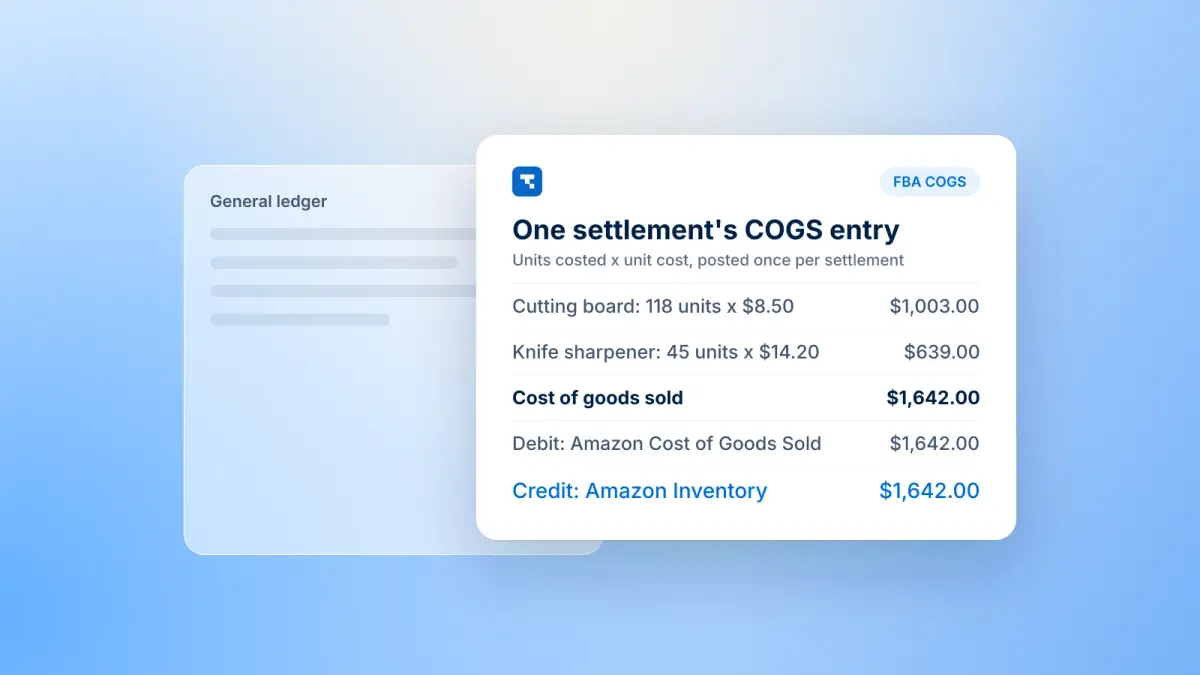
To record Amazon FBA cost of goods sold (COGS) in QuickBooks Online, keep your stock in an Inventory asset account and move the cost of what sold into a Cost of Goods Sold expense account once per Amazon settlement. One journal entry per settlement does it: debit Cost of Goods Sold, credit Inventory, for units sold less units that came back sellable, times your unit cost.
That’s the whole method. The rest of this guide covers the accounts to set up, how to work out the number, the entries for returns and lost units, and a monthly check that tells you the books are right.
This is general information, not tax advice. Ask your accountant which inventory method and accounting basis fit your business.
Why COGS needs its own entry for FBA sellers
Your Amazon settlement shows sales, fees, refunds and reimbursements. It doesn’t show what the products cost you, because Amazon doesn’t know.
So if you only record settlements, your profit and loss report shows revenue with no product cost against it. Your margin looks far better than it is until someone books COGS, often at year end.
Recording COGS with each settlement fixes that. Every month’s report then shows sales, Amazon fees and product cost together, which is the gross margin you actually earned.
Step 1: Set up two accounts in QuickBooks Online
You need two accounts in Accounting > Chart of Accounts:
| Account | Account type | Detail type |
|---|---|---|
| Amazon Inventory | Other Current Assets | Inventory |
| Amazon Cost of Goods Sold | Cost of Goods Sold | Supplies & Materials - COGS |
The names are up to you. Keep Amazon in them if you sell on more than one channel, so you can see each channel’s margin.
Step 2: Record inventory purchases to the asset account
When you pay a supplier, the cost goes to Amazon Inventory, not to an expense. It isn’t an expense yet. It becomes one when the units sell.
Include everything it took to get the units into Amazon’s warehouses:
- The supplier invoice
- Freight and shipping to you or to Amazon
- Customs duties and import fees
- Prep and labeling you pay a third party for
Divide the total by the units received to get a landed cost per unit for each SKU. Our landed cost calculator does the arithmetic.
Referral fees, FBA fulfillment fees and monthly storage fees stay out. Amazon charges them when you sell or while units sit in its warehouses, so they’re expenses in the settlement, not part of the unit cost.
Step 3: Work out COGS for each settlement
For each SKU in the settlement period:
COGS = (units sold − units returned sellable ± inventory adjustments) × unit cost
Inventory adjustments come from Amazon’s inventory reports: units lost or damaged in a fulfillment center, found again, or disposed of. Units Amazon loses or damages leave your sellable stock, so their cost is written off in the period it happens.
Here’s an example for a two-week settlement:
| SKU | Sold | Returned sellable | Lost in warehouse | Units costed | Unit cost | COGS |
|---|---|---|---|---|---|---|
| Bamboo cutting board | 120 | 4 | 2 | 118 | $8.50 | $1,003.00 |
| Knife sharpener | 45 | 0 | 0 | 45 | $14.20 | $639.00 |
| Total | $1,642.00 |
Which unit cost to use
Pick one method and stick with it. Changing methods later generally needs IRS approval.
- Average cost spreads all the units you’ve bought across one cost per SKU. It’s the simplest to keep up when supplier prices drift.
- FIFO (first in, first out) costs each sale at the price of the oldest units you still hold. It’s more work by hand, but it follows the actual layers of stock.
Our Amazon COGS guide covers the methods and the IRS rules for small sellers in more detail.
Step 4: Post one journal entry per settlement
In QuickBooks Online, select + New > Journal entry and date it the settlement end date:
| Account | Debit | Credit |
|---|---|---|
| Amazon Cost of Goods Sold | $1,642.00 | |
| Amazon Inventory | $1,642.00 |
Put the settlement ID and period in the memo, so you can match the entry to the settlement later.
The settlement deposit itself is a separate entry, with sales, fees and refunds. Keeping COGS separate means you can correct product costs without touching the entry that matches your bank deposit.
Step 5: Handle returns, lost units and removals
These are where FBA COGS usually goes wrong.
Refunds and returns. A refund only puts cost back into inventory when the unit actually returns to your sellable stock. If the customer keeps the item, or the return arrives damaged, the cost stays in COGS. Check Amazon’s customer returns report for the disposition (sellable, damaged, defective) rather than reversing COGS for every refund.
Returns often land in a later settlement than the refund. Record the return in the settlement where Amazon receives the unit, and count it once.
Lost or damaged units. Write off the cost when Amazon records the loss. If Amazon reimburses you, the reimbursement arrives in the settlement as income. Record it there, not as a sale, and don’t reverse the write-off unless the unit is found.
Removals and disposals. Units removed and shipped back to you are still your inventory, so move them to whichever inventory account you use for stock outside Amazon. Units Amazon disposes of after they were already written off as damaged don’t get written off a second time.
Multi-Channel Fulfillment. If Amazon ships orders for your Shopify or other stores, make sure only one channel records the cost of each unit. Otherwise the same unit hits COGS twice.
Step 6: Check the inventory balance every month
Once a month, compare the Amazon Inventory balance in QuickBooks Online with what you actually hold:
- Download your inventory on hand from Seller Central (the FBA inventory or inventory ledger report), plus any stock in transit or at your own warehouse.
- Multiply units on hand by unit cost for each SKU and add it up.
- Compare the total with the Amazon Inventory balance on your balance sheet.
Small differences come from timing and rounding. A large or growing gap usually means returns were reversed that never came back sellable, losses weren’t written off, or purchases were booked to an expense instead of to inventory. Fix it with a journal entry and a note explaining why.
Can QuickBooks Online track FBA inventory itself?
Yes, on QuickBooks Online Plus or Advanced. You set each SKU up as an inventory item, and QuickBooks reduces stock and records COGS as you record sales against those items. It values inventory first in, first out.
That works well when every sale is recorded as an item line. For a busy FBA account it means turning each settlement into item-level sales, which is a lot of transactions to keep right, and it still needs Amazon’s returns and adjustments handled correctly. Most FBA sellers find one summarized entry per settlement easier to review and reconcile.
How Taxomate records Amazon COGS in QuickBooks Online
Taxomate does steps 3 to 5 for each Amazon settlement. You enter a default unit cost per SKU, and Taxomate:
- Counts units sold, returns and FBA inventory adjustments from Amazon’s reports for each settlement period
- Calculates COGS with the average cost method, and lets you change a unit cost for one settlement when a shipment cost more or less
- Posts a summarized COGS entry to the inventory asset and COGS accounts you choose, separate from the settlement’s sales and fees
- Can send COGS automatically once you’ve checked your costs
From settlement periods starting on December 1, 2026, Taxomate puts an FBA refund’s cost back into inventory only when Amazon records the unit as returned in sellable condition, for marketplaces outside the EU. There’s also a setting to leave Multi-Channel Fulfillment shipments out of Amazon COGS when your other store’s account records them.
See how Taxomate calculates COGS for the setup steps, or the Amazon to QuickBooks integration for how the rest of each settlement is posted. If you’d rather have QuickBooks track the stock itself, Taxomate also offers QuickBooks inventory sync.
A quick checklist
- Inventory asset and COGS accounts set up for Amazon
- Every supplier invoice, freight bill and duty charge booked to inventory
- A landed unit cost per SKU, using one method consistently
- One COGS journal entry per settlement, with the settlement ID in the memo
- Returns reversed only when the unit came back sellable
- Lost and damaged units written off, reimbursements recorded as income
- Inventory balance checked against Seller Central every month
For how COGS fits with settlements, sales tax and the rest of your books, read our Amazon seller accounting guide.
Disclaimer: This article is general information provided in good faith. It is not tax or legal advice. Talk to a qualified tax professional or CPA about your own situation.