Walmart Marketplace QuickBooks Integration
Connect Walmart Marketplace to QuickBooks, import settlement payouts, and post reconciliation-ready sales, fees, refunds, taxes, adjustments, and deposits into QuickBooks.
 Import each Walmart settlement and post one summarized entry.
Turn Walmart Marketplace deposits into QuickBooks entries that explain the bank feed.
Use your trial to prove one Walmart payout imports, posts, and reconciles before backfilling history.

Walmart to QuickBooks: one summarized entry for each deposit
Walmart pays you in batches. Each deposit mixes sales, fees, refunds, and taxes, so it rarely matches your QuickBooks books on its own. Walmart reports each settlement period in a reconciliation report. Taxomate reads that report and groups it into categories. Taxomate imports the Walmart settlement and posts one summarized entry to QuickBooks that matches the bank deposit. You skip the spreadsheet.
How to connect Walmart to QuickBooks
- 1
Connect Walmart
Connect your Walmart Marketplace account. You approve access in Walmart, or you enter your API credentials. Taxomate then downloads your reconciliation reports.
- 2
Connect QuickBooks
Connect QuickBooks Online. You sign in with Intuit and approve access to your company file.
- 3
Set your account mappings
Run Quick Setup to create default income, expense, and cost of goods accounts in QuickBooks, or pick accounts you already have. Then check the account for each category. You can change any mapping later. Taxomate does not post until the required mappings are set.
- 4
Review a Walmart settlement
Open a Walmart settlement in Taxomate. It shows sales, refunds, commission, fees, shipping, and tax grouped by category, with the settlement total.
- 5
Post to QuickBooks
Post the settlement. Taxomate creates one summarized entry in QuickBooks as a journal entry or an invoice, based on your posting setting. You can also turn on auto-post so new settlements post after the deposit date.
- 6
Reconcile with your bank deposit
Match the posted entry to the bank deposit in QuickBooks. The posted total is the settlement total, so it lines up with the deposit. If you turned on auto deposit, Taxomate also records the deposit to your bank account.
What Taxomate posts to QuickBooks
Taxomate groups each settlement by category and posts them to the QuickBooks accounts you map. The table lists the categories and where each one goes.
| Transaction type | Where it goes | Default account |
|---|---|---|
| Sales | Income account | Walmart Sales |
| Shipping | Income account | Walmart Shipping |
| Gift wrap revenue | Income account | Walmart Gift Wrap Revenue |
| Refunds | Income account | Walmart Refunds |
| Commission | Expense account | Walmart Commission Fees |
| Fees, including Walmart Fulfillment Services fees | Expense account | Walmart Fees |
| Advertising | Expense account | Walmart Advertising |
| Adjustments | Expense account | Walmart Adjustments |
| Sales tax collected | Liability account | Walmart Sales Tax Collected |
| Sales tax remitted | Liability account | Walmart Sales Tax Remitted |
| Instant transfer | Liability account | Walmart Instant Transfers |
| Reserved and carried balances | Liability account | Walmart Reserved Balances, Walmart Carried Balances |
- Taxomate posts the totals as a journal entry or as an invoice with sales items, based on your setting. When you post journal entries, it can also create the bank deposit.
- You can turn on QuickBooks classes to track amounts by class.
- Every mapping is yours to change. The default account names are a starting point.
Plans start at $14/month for one sales channel with up to 200 orders a month. Every plan has a 14-day free trial. See pricing.
Questions before you connect Walmart to QuickBooks
Short answers on how a payout-based workflow handles Walmart deposits in QuickBooks.
How do I connect Walmart to QuickBooks without rebuilding payout spreadsheets?
Start with the Walmart settlement, import the related sales, fees, refunds, taxes, and adjustments, then review the summarized QuickBooks entry before posting.
Can a Walmart QuickBooks integration help reconcile deposits in QuickBooks?
Yes, if the workflow uses the payout as the control total and posts a summarized entry that can be matched against the bank deposit in QuickBooks.
What should I test first in a Walmart to QuickBooks trial?
Use one recent Walmart settlement as the activation test. The workflow is ready to scale when the first import, first successful post, and bank reconciliation all line up.
First-post proof
Test Walmart to QuickBooks with one settlement payout
Before you import months of Walmart Marketplace history, use one representative settlement payout to confirm the summarized QuickBooks entry and bank deposit match.
- 1 Import one recent Walmart settlement payout with sales, refunds, fees, and taxes.
- 2 Review the QuickBooks summary and compare it to the Walmart settlement report.
- 3 Confirm the first successful post in QuickBooks reconciles to the bank deposit before importing more history.
Reconciliation playbook
Walmart QuickBooks settlement reconciliation playbook
The goal is a QuickBooks entry for each Walmart settlement that matches the bank deposit.
Import the Walmart settlement
Use the Walmart Marketplace settlement payout as the control total, including sales, refunds, fees, taxes, and adjustments.
Review the QuickBooks summary
Check the QuickBooks post before sending it so Walmart revenue, fees, refunds, taxes, and clearing entries are understandable.
Match the first post
The first successful QuickBooks post should reconcile to the Walmart bank deposit before more settlement periods are imported.
Activation checklist
- Walmart settlement imports with sales, refunds, fees, taxes, and adjustments.
- QuickBooks summary separates Walmart revenue, fees, refunds, taxes, and clearing.
- The first successful post in QuickBooks reconciles to the Walmart bank deposit.
Comparing ecommerce accounting tools?
A2X vs Link My Books for Walmart to QuickBooks
See how A2X, Link My Books, and Taxomate compare for this exact Walmart to QuickBooks payout workflow before you test your first import and post.
Exhausted from constantly grappling with the intricacies of manual data entry? Fed up with the time-consuming tasks and the ever-lingering possibility of human error? With our automated system, you can say goodbye to the tedious task of manually handling your financial data.
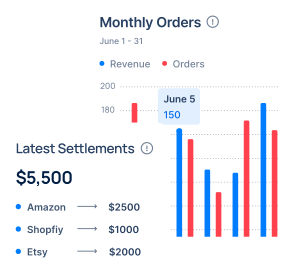
Less manual entry
Taxomate turns each Walmart payout into one summarized entry in QuickBooks, so you match one entry to each deposit instead of copying payout reports by hand.
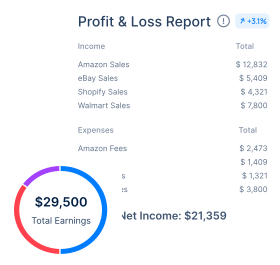
See where the money went
Sales, fees, refunds, shipping and tax post to the accounts you map, so your profit and loss report shows each one. Taxomate can also send summarized cost of goods sold (COGS) entries.
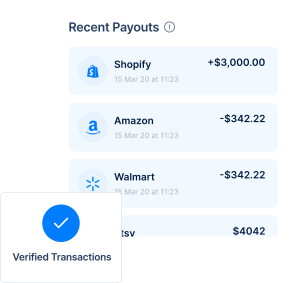
One summary per payout
Each summary breaks the payout down into sales, refunds and fees, and its total equals the deposit. You can review it before it posts.
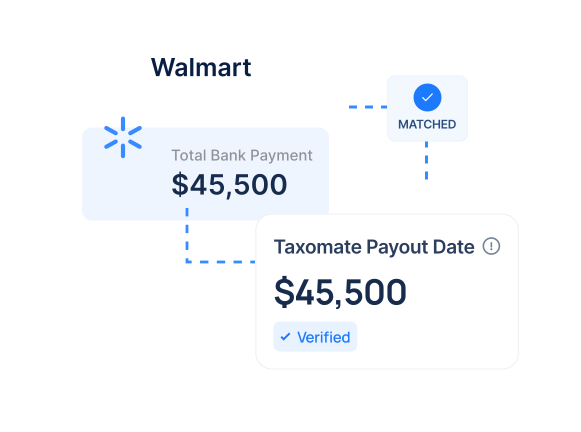
Why automate your Walmart accounting?
Taxomate turns your Walmart sales, fees and tax data into summarized entries that match your payouts in QuickBooks.

No payout spreadsheets: Taxomate imports each Walmart payout for you, so you do not rebuild it from reports in a spreadsheet.
The same mappings every time: Every payout posts with the account mappings you set, so each fee and tax type lands in the same account each month.
Books that stay current: Turn on auto-post and new payouts post after their deposit date, without a manual step.
Tax kept separate: Tax collected on Walmart sales posts to its own account, separate from sales. Taxomate records the amounts; filing and tax advice stay with you or your accountant.
How Does Taxomate Work?
Getting started with Taxomate in 10 minutes or less.
1 Signup for a Free Trial
Start a 14-day free trial. Creating an account takes a few minutes.
2 Connect Your Walmart and QuickBooks Accounts
Connect your Walmart seller account and QuickBooks. Each one asks you to approve access.
3 Confirm Your Accounts & Taxes
Run Quick Setup or pick your own accounts, then confirm the account and tax setting for each category. You can change any mapping later.
4 Review and post
Review each Walmart summary and post it to QuickBooks, or turn on auto-post so new payouts post after their deposit date.
Taxomate handles the payout bookkeeping for Walmart, so your time goes to checking the summary, not building it.
Onboarding help included
Book a free 1:1 onboarding call, or get help by email and video chat. Setup guides and help articles are in the help center.
You stay in control
You approve each connection in Walmart and QuickBooks, set every account mapping, and can review each summary before it posts.
Priced by order volume
Plans start at $14/month for one sales channel with up to 200 orders a month, and the Multi-channel plan has no channel limit. Every plan has a 14-day free trial.
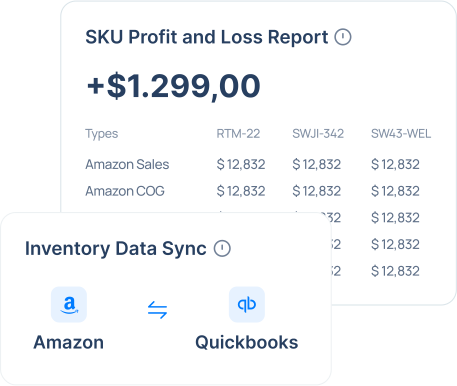
QuickBooks inventory sync for Walmart
On the QuickBooks Inventory Sync plan, Taxomate also updates inventory in QuickBooks Online and helps you see profit by SKU.
Sales invoices reduce or increase inventory levels in QuickBooks based on your Walmart sales and fees.
Import as many months of history as Walmart allows.
See the sales and fee breakdown per SKU with QuickBooks Online classes (requires a QuickBooks plan with classes).
14 Day Free Trial
Frequently Asked Questions
What is Taxomate?
Taxomate is an automated cloud-based accounting software designed to simplify the bookkeeping process for Amazon, eBay, Etsy, Walmart, and Shopify sellers. It imports Walmart payouts and posts summarized sales, fees, refunds and taxes to QuickBooks Online, Xero or Wave, so you do less manual entry.
How does Taxomate integrate with Walmart and QuickBooks?
Taxomate connects to your Walmart account to fetch transaction details such as sales, refunds, and fees. It then processes these transactions and automatically posts them as summarized entries into QuickBooks that match your Walmart payout reports, so each entry matches its deposit.
Do you charge extra for connecting multiple Walmart accounts or for importing historical data?
No, Taxomate does not charge extra fees for connecting multiple Walmart accounts or for importing historical data. Our pricing plans are designed to offer flexibility and scalability, allowing you to add as many accounts as you need without additional costs. Taxomate can import as much historical data as allowed by each sales channel.
What kind of support and resources does Taxomate offer to its users?
Taxomate provides its users with a range of support options and resources. This includes email support, 1:1 video chat support, comprehensive guides, video tutorials, and a knowledge base filled with helpful articles. These resources are designed to help users navigate the software, from setup to advanced features, ensuring a smooth experience.
Ready to Dive In?
Start your free trial today and see how Taxomate can transform your ecommerce accounting.
14-day free trial • Cancel anytime